Free TIFF to BMP converter
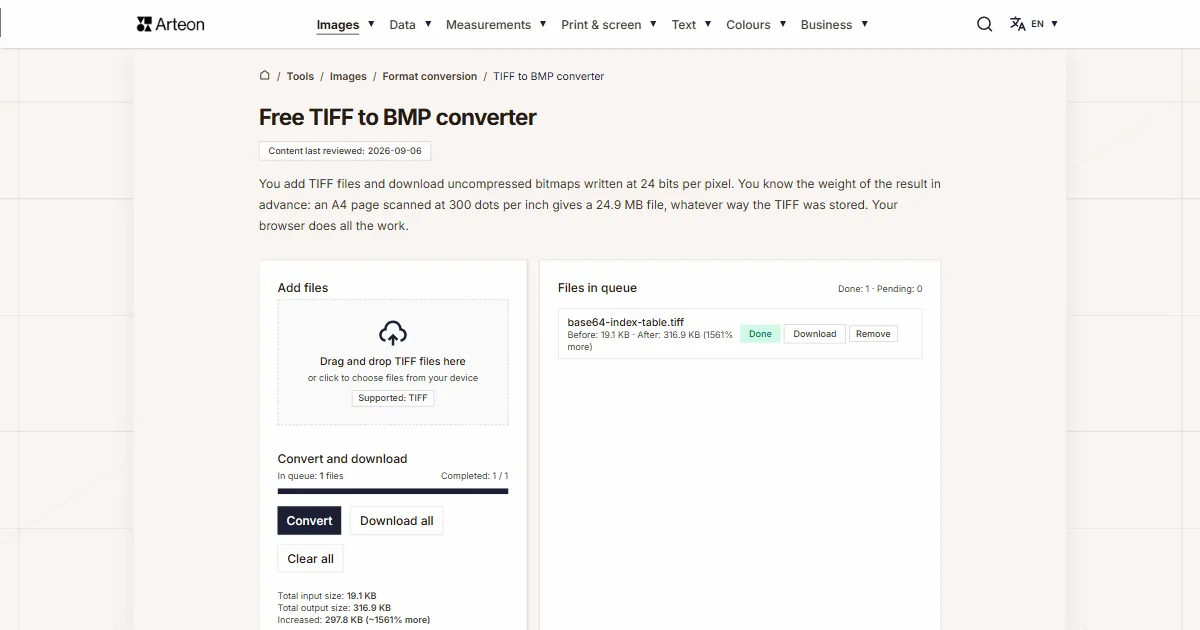
You add TIFF files and download uncompressed bitmaps written at 24 bits per pixel. You know the weight of the result in advance: an A4 page scanned at 300 dots per inch gives a 24.9 MB file, whatever way the TIFF was stored. Your browser does all the work.
Files in queue
What is TIFF and what is BMP?
TIFF is a container. One file extension holds many different ways of storing an image inside, and the tags placed at the start of the file say which one was used. Revision 6.0 of 3 June 1992 allows the data to sit uncompressed and allows PackBits, LZW, CCITT and JPEG compression, and next to that greyscale, RGB and CMYK colour with 8 or 16 bits per channel.[1] That is why two files with the same extension can look entirely different inside.
The format was developed in 1986 by Aldus Corporation together with Microsoft and Hewlett-Packard, and the rights later passed to Adobe.[2] That flexibility is the reason TIFF took hold in print shops and archives: one format serves both a black and white document scan and a photograph in full colour.
BMP works the other way round. It has one fixed layout: a header with the size of the file, a second header with the dimensions and the number of bits per pixel, and behind them an array of points written one after another.[3] This converter writes the most widely read variant: 24 bits per pixel, uncompressed, with a 40-byte BITMAPINFOHEADER.
Turning a TIFF into a bitmap therefore brings the image down to a single form. Whatever was inside the source file, what you get is an array of pixels that a program reads with no decoding library at all. The way back is handled by the BMP to TIFF converter.
What comes out of a TIFF to BMP conversion?
The converter opens the TIFF file in your browser, moves the image onto a canvas and writes a bitmap out of it. Reading is handled by UTIF.js, a TIFF decoder written in JavaScript and running on your own computer.[4] Among browsers, TIFF files are displayed by Safari alone, so the decoder reads the file no matter what you open this page in.
The writing is done by our own encoder as well. A browser canvas does not hand back a BMP file: the MDN documentation describes this plainly — with a format the browser does not know you get a PNG file and no warning at all.[5] So we assemble the header and the array of points ourselves, and the image stays on your disk from the first click to the end of the work.
We checked how many ways of storing a TIFF pass through this decoder. Through the converter went files with no compression and files compressed with LZW, PackBits, Deflate, CCITT Group 4 and JPEG. On top of that came greyscale, 16 bits per channel, CMYK colour and a file with two pages. Every one of them came out as a bitmap of the same weight, because the weight of the result follows from the size of the image alone.
When you want a light file, the same image is written by the TIFF to JPG converter, and when every pixel has to stay, by the TIFF to PNG converter.
How much does the bitmap weigh after the conversion?
You can work out the weight of the finished bitmap before the conversion, and the result depends neither on how heavy the TIFF file was nor on what the image shows.
Every pixel takes three bytes: one each for red, green and blue. Every row of the image is padded with zeros to a full four bytes, and the Microsoft documentation gives a ready formula for that.[6] On top of all the rows come 54 bytes of header.
width in pixels × 3 B, rounded up to 4 B, × height + 54 B = weight of the BMP file
Let us follow that on an A4 page scanned at 300 dots per inch, which is 2480 by 3508 pixels. Start with a single row: 2480 pixels of three bytes make 7,440 bytes, and that number divides by four, so there is nothing to pad. There are 3,508 rows, so the pixels alone take 26,099,520 bytes. Together with the header the file weighs 26,099,574 bytes, which is 24.9 MB in the notation the tool uses in its summary.
The padding shows up only at widths that do not divide by four. A row of an image 1001 pixels wide carries 3,003 bytes of data, and the file reserves 3,004 bytes for it. Over a thousand rows that adds up to exactly a thousand extra bytes.
Which way the weight moves therefore depends on how the TIFF was stored. A scan compressed with CCITT Group 4 grows more than thirteenfold, a file with LZW compression by roughly two thirds, and an uncompressed CMYK file even gets lighter, because four printing inks turn into three colour components.
When you need one document out of the same scans instead of separate images, it is assembled by the TIFF to PDF converter.
What does the converter do with different kinds of TIFF file?
| How the TIFF is stored | Weight of the TIFF file | Weight of the BMP file | Difference in the queue |
|---|---|---|---|
| Uncompressed, RGB colour | 2.25 MB | 2.25 MB | 0% |
| LZW compression | 1.36 MB | 2.25 MB | 65% more |
| PackBits compression | 1.83 MB | 2.25 MB | 23% more |
| Deflate compression | 1.09 MB | 2.25 MB | 106% more |
| CCITT Group 4 compression, black and white image | 161.9 KB | 2.25 MB | 1323% more |
| JPEG compression inside the TIFF file | 183.6 KB | 2.25 MB | 1155% more |
| Greyscale at 16 bits per channel | 1.50 MB | 2.25 MB | 50% more |
| CMYK colour, uncompressed | 3.00 MB | 2.25 MB | 25% less |
How much does a bitmap made from a scan weigh?
| Scan format and resolution | Size in pixels | Number of pixels | Weight of the BMP file |
|---|---|---|---|
| A6 at 300 dots per inch | 1240 × 1748 | 2,167,520 | 6.20 MB |
| A5 at 300 dots per inch | 1748 × 2480 | 4,335,040 | 12.4 MB |
| A4 at 300 dots per inch | 2480 × 3508 | 8,699,840 | 24.9 MB |
| A3 at 300 dots per inch | 3508 × 4961 | 17,403,188 | 49.8 MB |
| A4 at 600 dots per inch | 4960 × 7016 | 34,799,360 | 99.6 MB |
How does TIFF differ from BMP?
| Property | TIFF | BMP |
|---|---|---|
| Full name | Tagged Image File Format | Windows Bitmap |
| MIME type | image/tiff | image/bmp |
| File extension | .tiff and .tif | .bmp |
| How the image is stored | Tags describing the image plus a data block | Rows of pixels one after another |
| Compression allowed by the specification | PackBits, LZW, CCITT and JPEG | RLE for 4-bit and 8-bit storage |
| Colour spaces | Greyscale, RGB, CMYK and Lab | RGB |
| Images in one file | Many pages in a single file | One image |
| Display in the browser | Safari | All browsers |
| File from this converter | Input format | Uncompressed, 24 bits per pixel |
How do you convert TIFF to BMP?
Add your TIFF files
Drag the images onto the Add files field or click that field and pick the files from your disk. You can choose a whole batch at once — the converter puts it in the queue on the right, together with the weight of every file.Click Convert
The Convert button sits in the Convert and download section. The progress bar shows how many files are already finished, and every row of the queue gets its own status: Pending, Processing and Done.Download the bitmaps
A single file is saved with the Download button next to its name, and the whole batch with the Download all button. The file name stays the same and the extension changes to .bmp.
What to look out for when converting TIFF to BMP?
Single files up to 100 MB
The converter accepts TIFF files weighing up to 100 MB. A heavier file stops with the message File is too large (max 100 MB), so you know at once where it stopped. An uncompressed RGB TIFF fits inside that threshold up to about 35 million pixels.From a multi-page file the first page goes through
TIFF holds many images in one file, and the converter writes the first of them. We checked this on our own two-page file: one bitmap appeared in the queue, carrying page one. You prepare the further pages by saving them as separate files first.Transparency turns into white
24-bit storage describes every pixel as fully opaque, so transparent areas from the TIFF file come out white. We checked this on an image whose left half was entirely transparent: after the conversion it holds the value 255 on each of the three channels.Sixteen bits come out as eight
A scan stored at 16 bits per channel comes out at 8 bits per channel, because that is what the bitmap header provides for. The size of the image and the layout of the points stay as they were. You keep the full depth by holding on to the source file.The header carries 96 dots per inch
In the header of the finished file we write 3,780 pixels per metre, which is 96 dots per inch. You set the print resolution later, in the graphics program or the layout program you open the bitmap in.The files stay with you
The whole conversion is done by code the browser runs on your own computer. The images stay on your disk, so you can also put confidential scans through this converter.
What is left of the TIFF file in the bitmap?
A TIFF file can carry more than an array of points, so here is the shape each of those things takes on the way out of the converter. We checked all of it on our own test files.
The size of the image and the pixel values pass through unchanged. Storage at 16 bits per channel comes out at 8 bits per channel, the form the bitmap header describes. CMYK colour is converted by the decoder into RGB, so a file from a prepress studio opens as an ordinary screen image. Transparent areas come out white, because 24-bit storage describes every pixel as fully opaque. Out of a multi-page file the converter takes the first page, and you prepare each further page by saving it as a separate file first.
In the header of the finished bitmap we write a resolution of 96 dots per inch, given there as 3,780 pixels per metre. When the file is going to print at a different resolution, you set that in the graphics program you open the bitmap in.
An image that keeps its transparency is prepared by the TIFF to PNG converter, and an image for a web page by the TIFF to WebP converter.
Convert other files to BMP
Convert TIFF to other formats
Sources
- TIFF Revision 6.0, 3 June 1992 — Adobe Developers Association
- TIFF — Wikipedia
- Bitmap Storage — Microsoft Learn
- UTIF.js, a TIFF encoder and decoder for the browser — Photopea
- HTMLCanvasElement: toBlob() method — MDN Web Docs
- BITMAPINFOHEADER — Microsoft Learn
- Image file type and format guide — MDN Web Docs
The file sizes in the tables were measured by running finished images through this converter in a browser, and we report them the way the tool counts them. What the page says about either format rests on the sources listed above.
Content last reviewed: · written and checked by the Arteon team
Common questions about converting TIFF to BMP
How much will my file weigh after the conversion?
You work it out from the size of the image alone: width times three bytes, rounded up to a full four bytes, times height, plus 54 bytes of header. An A4 page scanned at 300 dots per inch gives 24.9 MB, and the same page at 600 dots per inch gives 99.6 MB.
Will the BMP file be bigger than the TIFF file?
That depends on how the TIFF was stored. A file with LZW compression grows by about two thirds, a black and white scan with CCITT Group 4 compression more than thirteenfold, and an uncompressed CMYK file even gets lighter, because four inks turn into three colour components. An uncompressed RGB TIFF gives a file of practically the same weight.
Which kinds of TIFF file does the converter accept?
We checked eight ways of storing one: uncompressed, LZW, PackBits, Deflate, CCITT Group 4, JPEG inside the TIFF, greyscale and CMYK colour. Every one of them went through the converter and gave a bitmap of the same weight.
Does converting TIFF to BMP change the image quality?
Pixel values pass into the bitmap with no fresh compression, and the size of the image stays the same. Storage at 16 bits per channel comes out at 8 bits per channel, because that is what the header of this format provides for.
What happens to transparency from the TIFF file?
Transparent areas come out white, because 24-bit storage describes every pixel as fully opaque. When the transparency has to stay, the image is prepared by the TIFF to PNG converter.
I have a TIFF with several pages. What do I get?
The converter writes the first page of such a file. You prepare the others by saving them as separate files in a graphics program first, and then dropping them all into the queue at once.
Why does writing a BMP need an encoder of its own?
A browser canvas does not hand back a BMP file. The MDN documentation describes this behaviour plainly: with a format the browser does not know you get a PNG file and no warning at all. So we assemble the header and the array of points ourselves, in code running on your computer.
Do my files go to a server?
The conversion happens entirely on your device, in code the browser runs. The files stay on your disk, and once you close the tab the browser releases the memory it held the images in.
How many TIFF files can I convert at once?
You add as many files to the queue as you need and the converter goes through them one by one. A single file may weigh up to 100 MB. The whole batch is saved with one Download all button.
How do I get from a bitmap back to a TIFF file?
The way back is handled by the BMP to TIFF converter. We have gathered every pair from this group on the Format conversion subcategory page.
Help us improve our tools
Got an idea for a new feature, found a bug or want to suggest another tool? Write to us – we reply within 24 hours.
Try our other useful tools
Online image editor
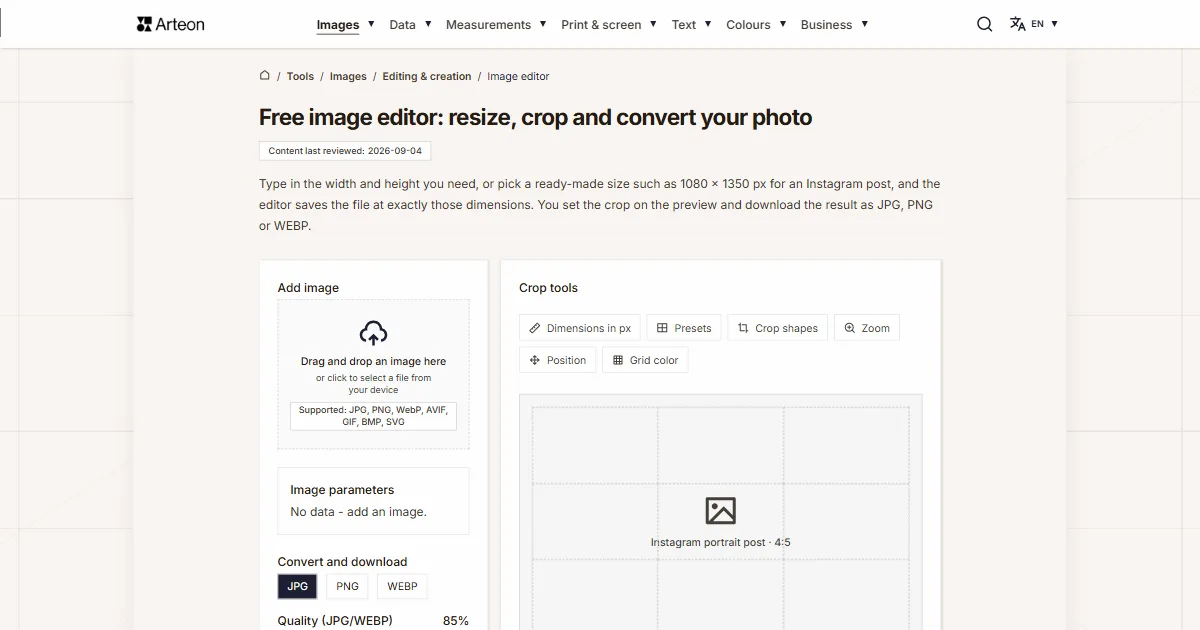
Resize, crop and convert your image. Ready-made formats for social media, circular avatars, export to JPG/PNG/WebP.

Meta title & description checker
Check title and description length in pixels. Live Google preview and optimization tips.
PNG to JPG
Convert PNG files to JPG in your browser. No file limits, no signup, no server uploads.

Favicon generator
Create a complete favicon.ico set for your website from one image. All required sizes, no login.
Color palette generator
Generate 9 palettes from one color: monochromatic, complementary, triadic and more. HEX codes.
WebP to JPG
Convert WebP files to universally compatible JPG. Works in every app and platform.
Color contrast checker
Check text and background contrast per WCAG 2.1 AA and AAA. Automatic color correction.
Free QR code generator
Create a QR code for a website, vCard business card or print. Export PNG and SVG, no registration.
Word & character counter
Count words, characters, sentences and reading time. Check readability with the Flesch-Kincaid score.