Convert a HEX code to RGB values
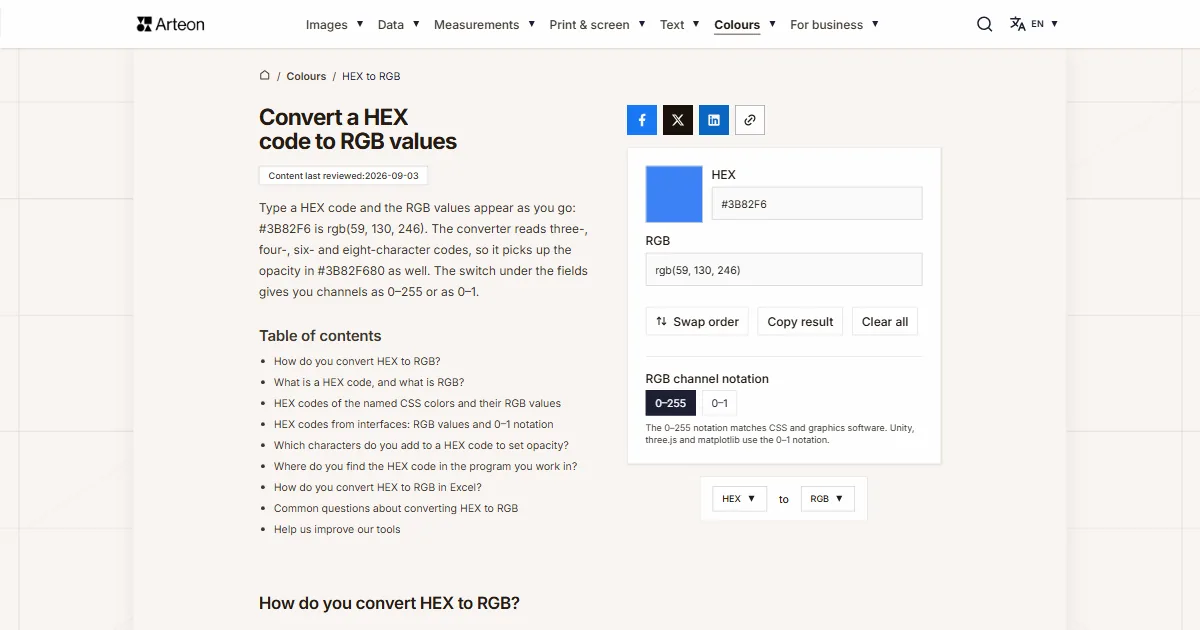
Type a HEX code and the RGB values appear as you go: #3B82F6 is rgb(59, 130, 246). The converter reads three-, four-, six- and eight-character codes, so it picks up the opacity in #3B82F680 as well. The switch under the fields gives you channels as 0–255 or as 0–1.
How do you convert HEX to RGB?
Read the code in pairs of characters and turn each pair from hexadecimal into decimal. The first pair is the red channel, the second green, the third blue, and every value lands between 0 and 255. The code #3B82F6 splits into 3B, 82 and F6, which gives rgb(59, 130, 246).
Formula: R, G and B are the successive pairs of characters read as hexadecimal numbers.
A single pair also works out in your head, because it is one multiplication and one addition. Multiply the first character by 16 and add the second, where A stands for 10, B for 11 and F for 15. For the pair 3B that gives 3 × 16 + 11, which is 59.
A few codes come up more often than the rest. Black #000000 is rgb(0, 0, 0), white #FFFFFF is rgb(255, 255, 255), and the gray #808080 is rgb(128, 128, 128) — exactly half of each channel.
The other direction rests on the same number, with one change: you divide the channel by 16 and write the remainder as the second character of the pair. The RGB to HEX converter does the whole thing for you.
What is a HEX code, and what is RGB?
RGB describes a color with three numbers: one each for the red, green and blue channel, all in the range 0 to 255. A screen builds the color out of light, so the higher the numbers the brighter the point, and three maximum values give white[1].
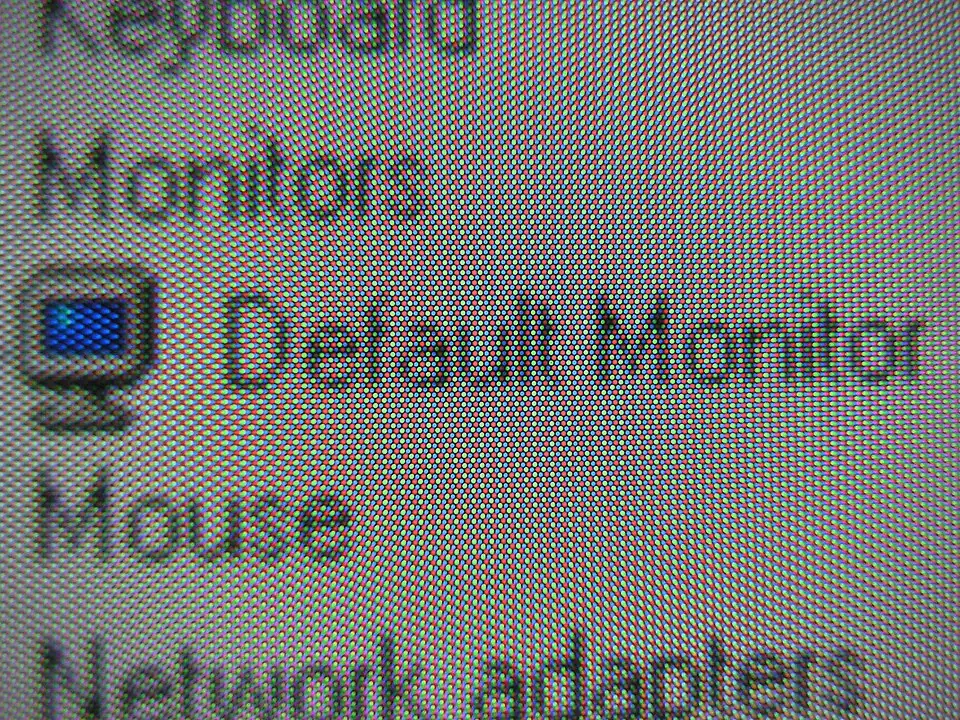
A HEX code describes the same color more briefly. One channel value fits into exactly two hexadecimal characters, so the whole color takes six characters after the hash.
Day to day the two notations turn up in different places. Figma, the color panel in a CMS and the brand book all hand you a HEX code, because it is short and easy to pass on. RGB values go where the color has to be calculated: in WCAG contrast work, in notation with transparency, and in 3D engines.
The CSS Color Level 4 specification allows four code lengths: three, four, six or eight characters[2]. The three-character version is a shorthand in which the browser repeats every character, so #123 means the same as #112233. The four- and eight-character versions add opacity at the end, where 00 is fully transparent and FF fully opaque.
Both forms describe the color in the sRGB space. Hewlett-Packard and Microsoft proposed the standard in 1996, and W3C adopted it for HTML and CSS under the designation IEC 61966-2-1[3]. That is why the same code gives the same color on every compliant screen.
HEX codes of the named CSS colors and their RGB values
| CSS name | HEX code | RGB values |
|---|---|---|
| black | #000000 | 0, 0, 0 |
| white | #FFFFFF | 255, 255, 255 |
| red | #FF0000 | 255, 0, 0 |
| lime | #00FF00 | 0, 255, 0 |
| blue | #0000FF | 0, 0, 255 |
| yellow | #FFFF00 | 255, 255, 0 |
| aqua | #00FFFF | 0, 255, 255 |
| fuchsia | #FF00FF | 255, 0, 255 |
| silver | #C0C0C0 | 192, 192, 192 |
| gray | #808080 | 128, 128, 128 |
| maroon | #800000 | 128, 0, 0 |
| olive | #808000 | 128, 128, 0 |
| green | #008000 | 0, 128, 0 |
| purple | #800080 | 128, 0, 128 |
| teal | #008080 | 0, 128, 128 |
| navy | #000080 | 0, 0, 128 |
| orange | #FFA500 | 255, 165, 0 |
| pink | #FFC0CB | 255, 192, 203 |
In CSS the word green describes a color at half the brightness of the green channel, and a full 255 on that channel goes by the name lime.
HEX codes from interfaces: RGB values and 0–1 notation
| HEX code | RGB values | 0–1 notation |
|---|---|---|
| #FAFAFA | 250, 250, 250 | 0.9804, 0.9804, 0.9804 |
| #F5F5F5 | 245, 245, 245 | 0.9608, 0.9608, 0.9608 |
| #333333 | 51, 51, 51 | 0.2, 0.2, 0.2 |
| #1A1A1A | 26, 26, 26 | 0.102, 0.102, 0.102 |
| #3B82F6 | 59, 130, 246 | 0.2314, 0.5098, 0.9647 |
| #EF4444 | 239, 68, 68 | 0.9373, 0.2667, 0.2667 |
| #EE3333 | 238, 51, 51 | 0.9333, 0.2, 0.2 |
| #22C55E | 34, 197, 94 | 0.1333, 0.7725, 0.3686 |
The fractional notation comes from dividing each channel by 255, so 128 gives 0.502 and 255 gives a flat 1.
Which characters do you add to a HEX code to set opacity?
| Opacity | Characters in the code | Channel value | Exact opacity |
|---|---|---|---|
| 100% | FF | 255 | 100% |
| 90% | E6 | 230 | 90.20% |
| 80% | CC | 204 | 80% |
| 75% | BF | 191 | 74.90% |
| 70% | B3 | 179 | 70.20% |
| 60% | 99 | 153 | 60% |
| 50% | 80 | 128 | 50.20% |
| 40% | 66 | 102 | 40% |
| 30% | 4D | 77 | 30.20% |
| 25% | 40 | 64 | 25.10% |
| 20% | 33 | 51 | 20% |
| 10% | 1A | 26 | 10.20% |
| 5% | 0D | 13 | 5.10% |
| 0% | 00 | 0 | 0% |
The opacity channel has 256 steps, the same as any color channel. Values every 20% land on a round percentage, that is 0, 20, 40, 60, 80 and 100. The remaining pairs fall two tenths of a percent away from the value in the first column and look identical on screen.
Where do you find the HEX code in the program you work in?
Each of these programs shows the code for the selected element, only in a different place.
Figma
Select the layer and click the square swatch in the Fill section of the right-hand panel. A picker opens, and under the hue and opacity sliders sits a list that switches the notation between Hex, RGB, HSB, HSL and CSS. Figma shows Hex by default.Photoshop
Double-click the foreground color square at the bottom of the toolbar. In the Color Picker window the code sits in the field marked with a hash, below the R, G and B values.Canva
Select an element and click the color on the top bar. Under the document colors press Add a new color, and the field with the hash is where you type or read the six-character code.Browser
Right-click the element and choose Inspect. In the styles panel a small swatch sits next to every color property, and shift-clicking it cycles the notation between HEX, RGB and HSL.
How do you convert HEX to RGB in Excel?
Put the code in cell A1 and enter =HEX2DEC(MID(A1,2,2)), =HEX2DEC(MID(A1,4,2)) and =HEX2DEC(MID(A1,6,2)) in three cells beside it. For the code #3B82F6 they return 59, 130 and 246.
The first of those functions reads a hexadecimal number[4], and the second cuts successive pairs of characters out of the code. MID takes the cell, the position of the first character and the number of characters, and because the code starts with a hash the channels sit at positions 2, 4 and 6.
Copying those three cells down converts a whole column of codes. Google Sheets and LibreOffice Calc use the same two function names.
Sources
- RGB color model — Wikipedia
- CSS Color Module Level 4 — hex notation — W3C
- sRGB — Wikipedia
- HEX2DEC function — Microsoft Support
Every figure in the tables was computed from the unit definitions and checked arithmetically before publication. Historical values and the names of local units come from the sources listed above.
Content last reviewed: · written and checked by the Arteon team
Common questions about converting HEX to RGB
Are #FFF and #FFFFFF the same color?
Yes. The three-character notation repeats each character, so #FFF expands to #FFFFFF and #38F to #3388FF[2]. Both give exactly the same three RGB numbers.
What is the HEX code for white and for black?
White is #FFFFFF, that is rgb(255, 255, 255), and black is #000000, that is rgb(0, 0, 0). In shorthand they are #FFF and #000.
What does the hash before a color code mean?
The hash opens the hexadecimal notation and tells the browser that the characters after it are a color code. It carries no value of its own, so the converter accepts a code with the hash and without it.
How many colors can a HEX code describe?
Each of the three channels has 256 steps, which gives 16,777,216 combinations[3]. An eight-character code adds 256 steps of opacity on top of that.
How do you write transparency into a HEX code?
Add two characters of opacity at the end: #3B82F680 is the same blue at half opacity. The converter reads such a code and gives the result as rgba(59, 130, 246, 0.5). The pairs for round values are in the opacity table on this page.
What is the difference between 0–255 and 0–1 notation?
It is the same color on two scales. CSS, Figma and graphics software count the channel in bytes from 0 to 255, while Unity, three.js, OpenGL and matplotlib use fractions from 0 to 1. The RGB channel notation switch under the fields gives the result on whichever scale you need.
Can a HEX code be used in a print job?
A press works with four inks, so a print file describes color in CMYK values. Take the three numbers from here into the RGB to CMYK converter and you get the shares of cyan, magenta, yellow and black.
How do you check whether a color has enough contrast?
WCAG works out contrast from the channel values, so the job starts with converting the code to RGB. The contrast and readability checker gives you the finished figure along with the thresholds for text.
Help us improve our tools
Have an idea, found a bug, or want to suggest a feature? Drop us a message – we respond within 24 hours.